Optimizing Search Experience:
License Search on Customer Experience (CX) Cloud
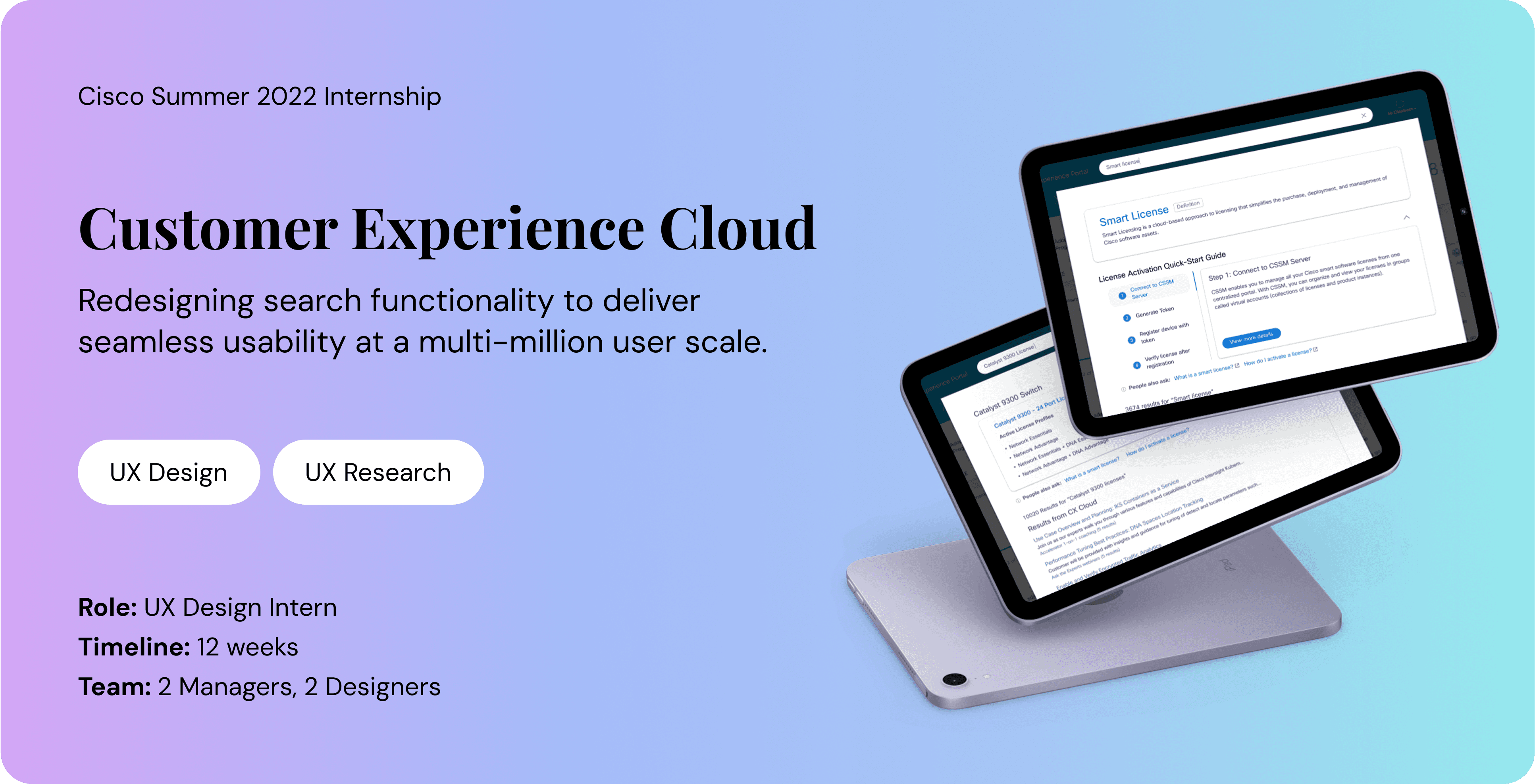
CX Cloud streamlines operations and reduces costs by transforming data into predictive, high-value business outcomes.
Project overview
Post-purchase experience revealed that searching for licensing information is a primary activity for over 1 million users.
How might we evolve CX Cloud's global search to better support the discovery of licenses and software downloads?
User Research
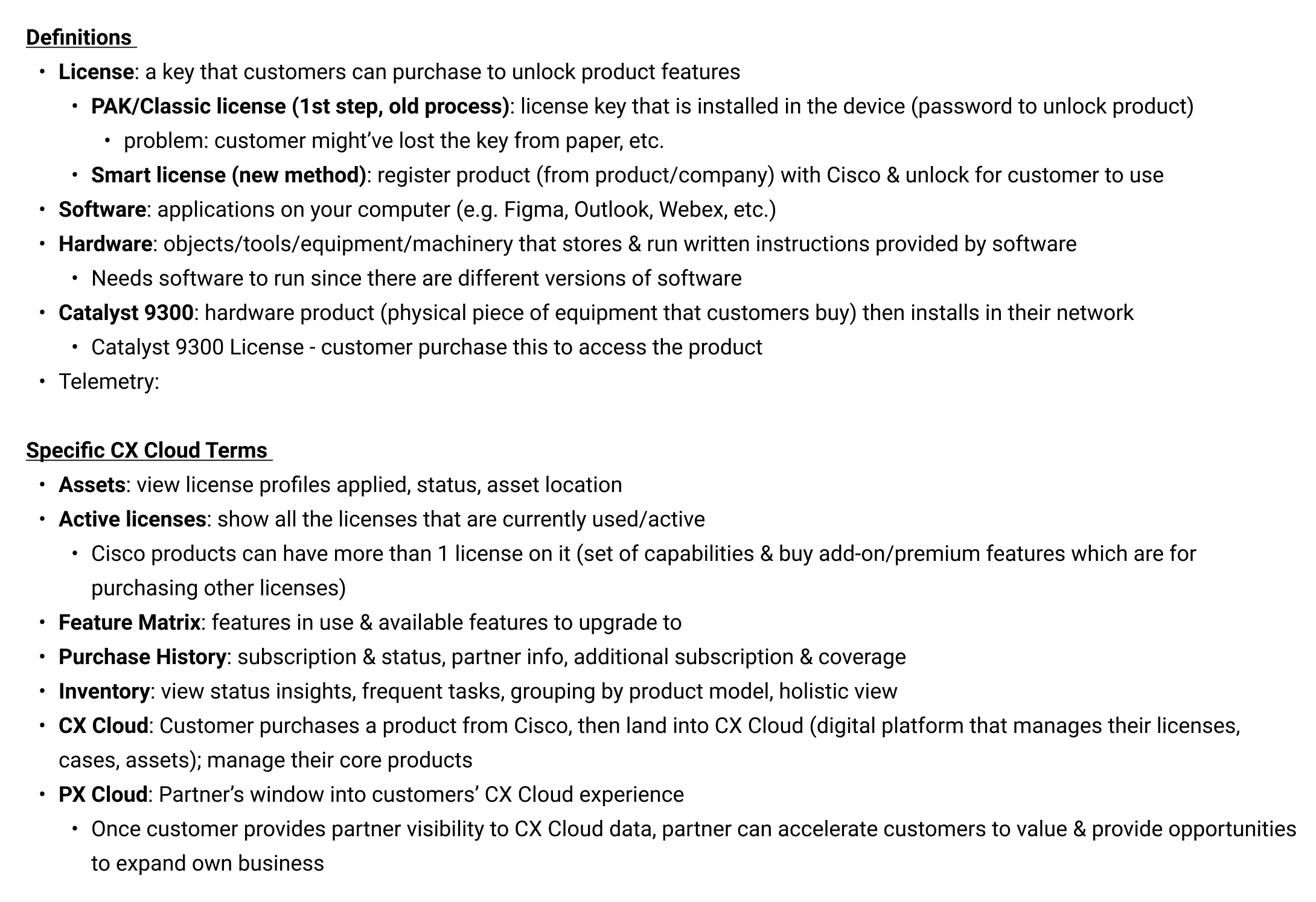
I collaborated with Subject Matter Experts (SMEs) to define the critical licensing terminology essential to the user experience.
Leveraging these insights, I mapped the user journey to visualize how customers navigate CX Cloud when searching for specific licenses.
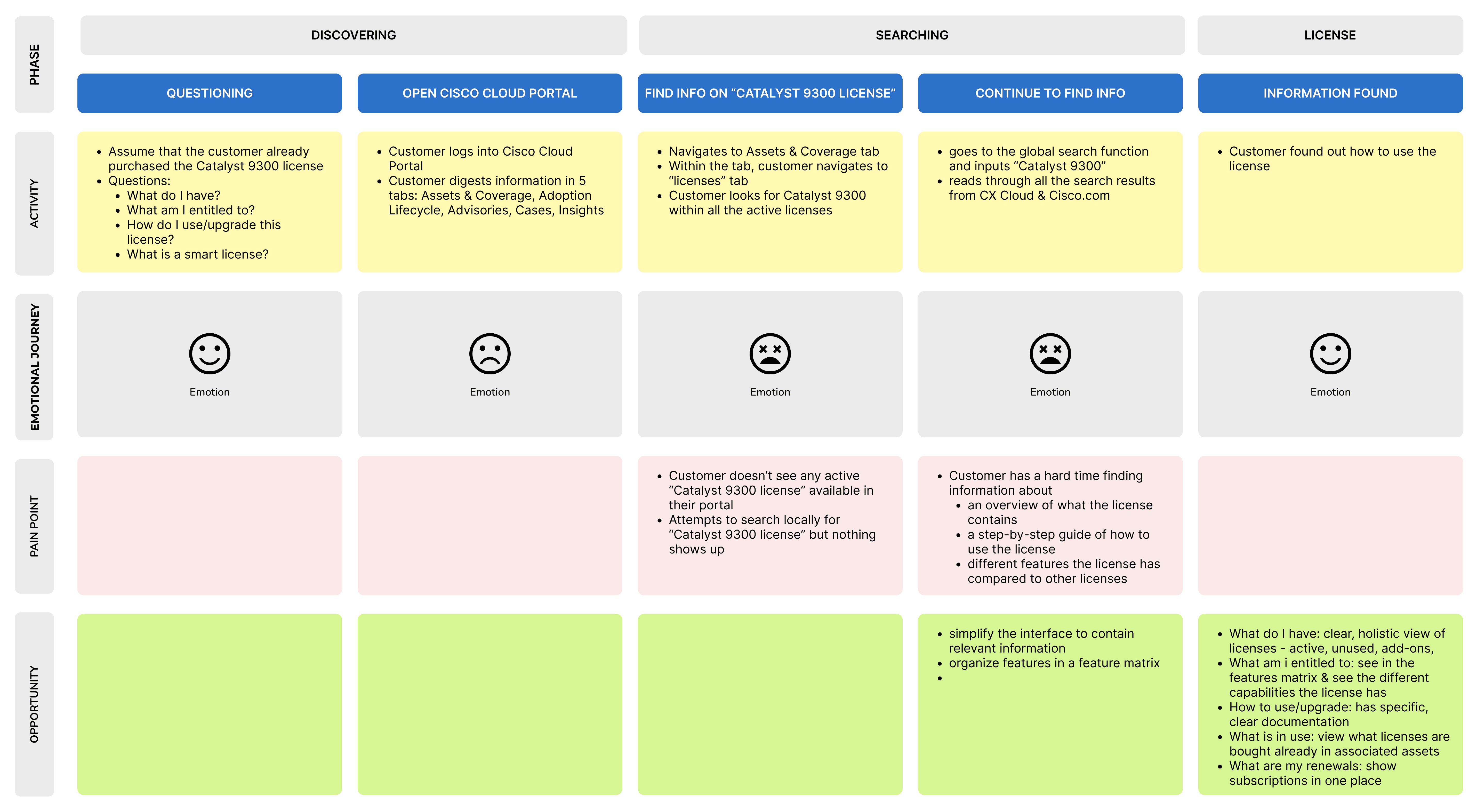
I identified 3 major pain points from the journey map:
1.
Difficulty finding information on smart licenses users have activated
2.
Information overload in search results leads to excessive scrolling and an inability to find their answers
3.
Lack of a simple, step-by-step guide to license usage and activation
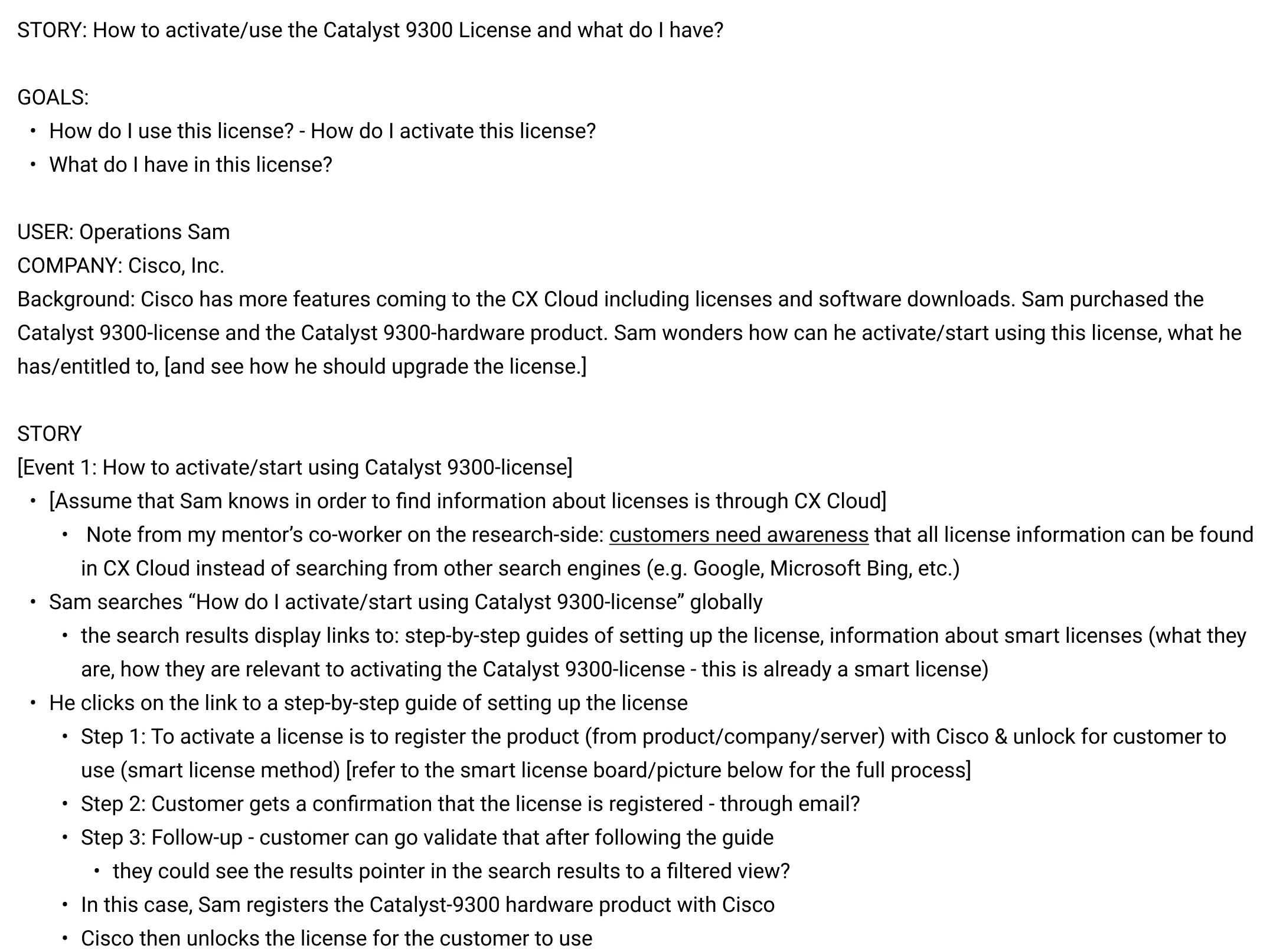
Following the customer journey map, I created a user storyboard to illustrate specific scenarios to target when redesigning the search experience.
Design Goals
Our primary objective was to design a seamless and intuitive search experience that streamlines the license discovery process for users.
Maximize time efficiency
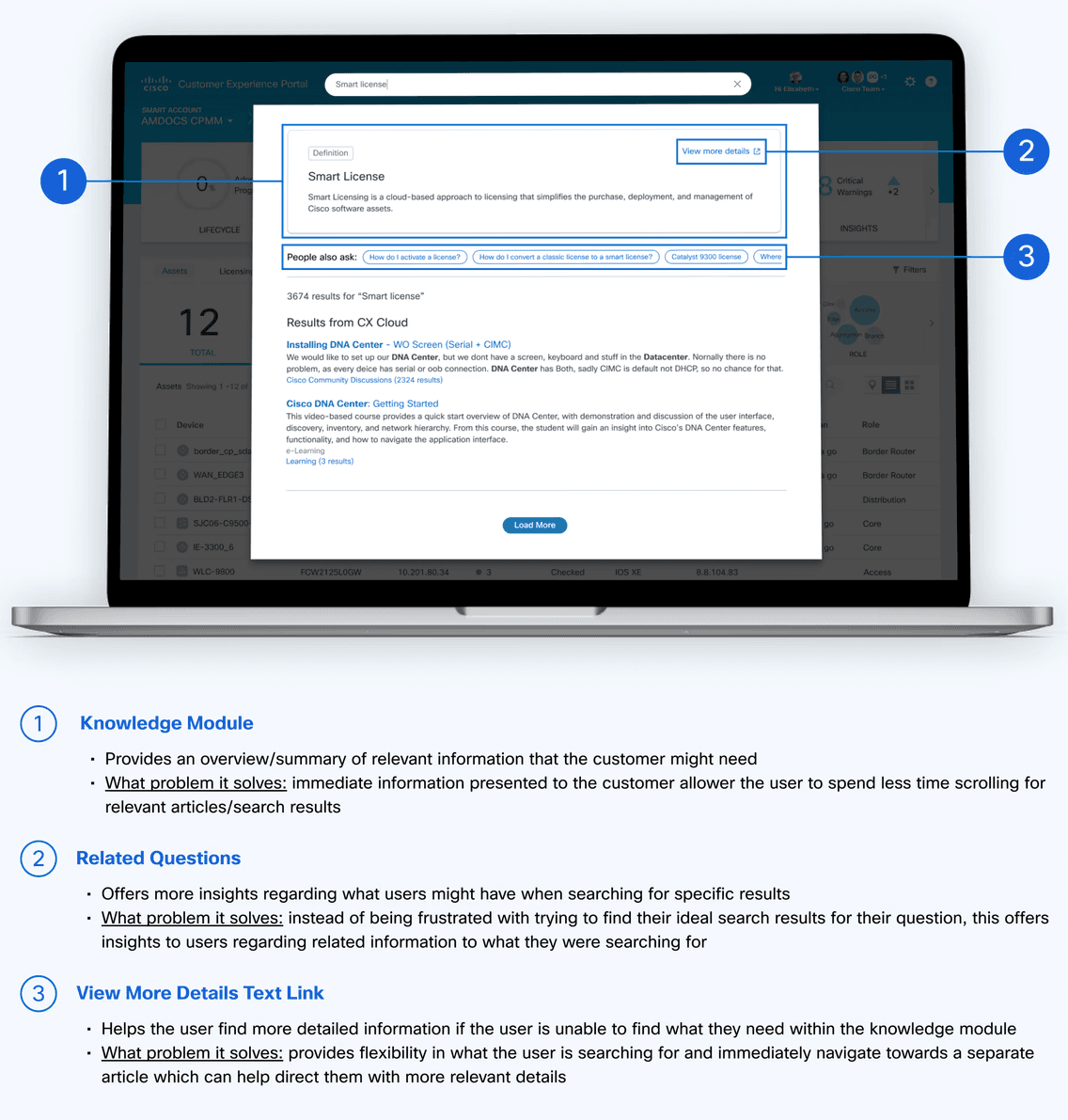
Help the user find information outside of the search page without frustration
Provide valuable information
Allow the user to obtain necessary information they need
Support user tasks related to licensing
Figure out what other questions users may have in mind about licensing
Lo-Fidelity Designs
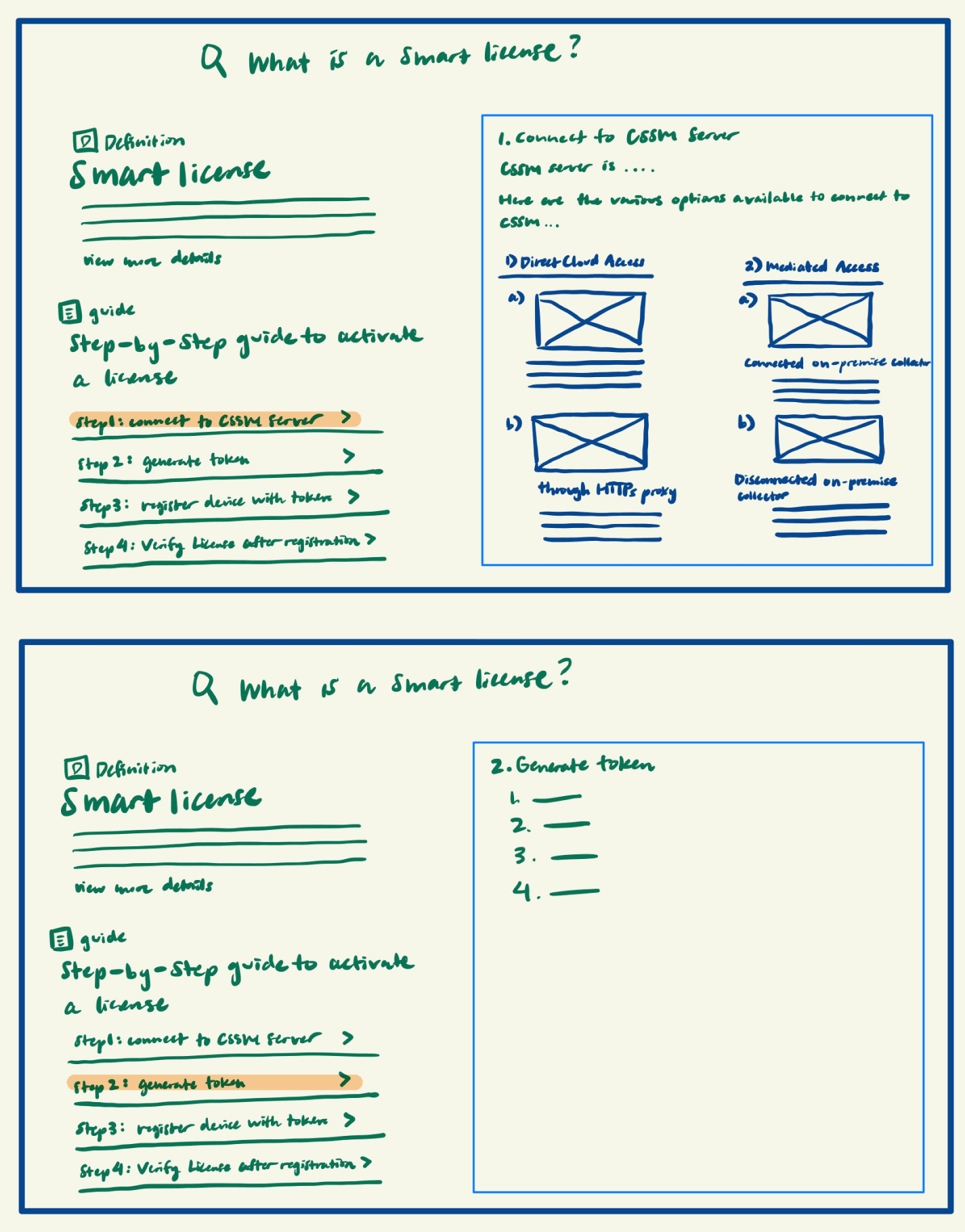
Concept 1: How-to guide
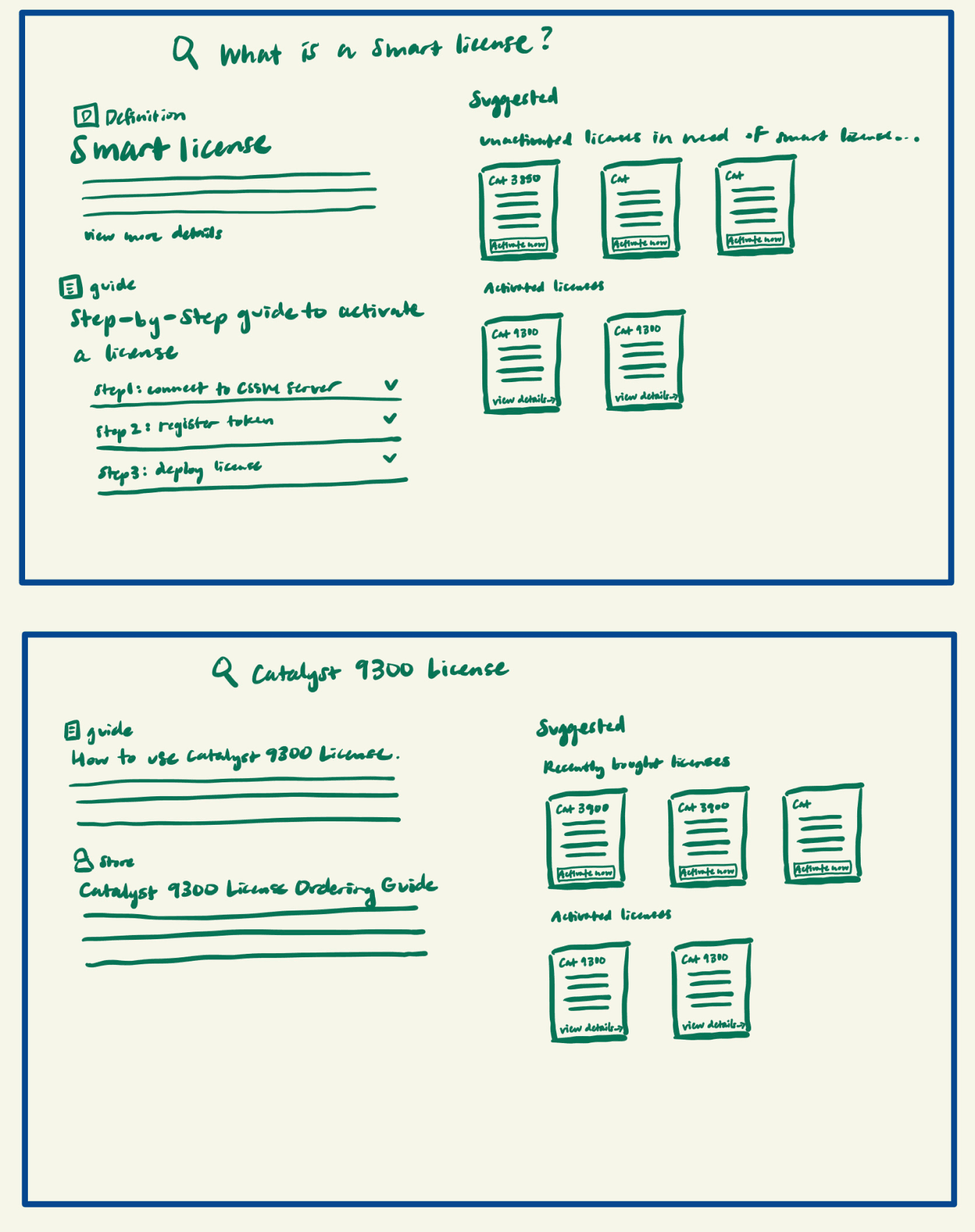
Concept 2: Suggested results
Suggested results for recently purchased & unactivated licenses that require setup
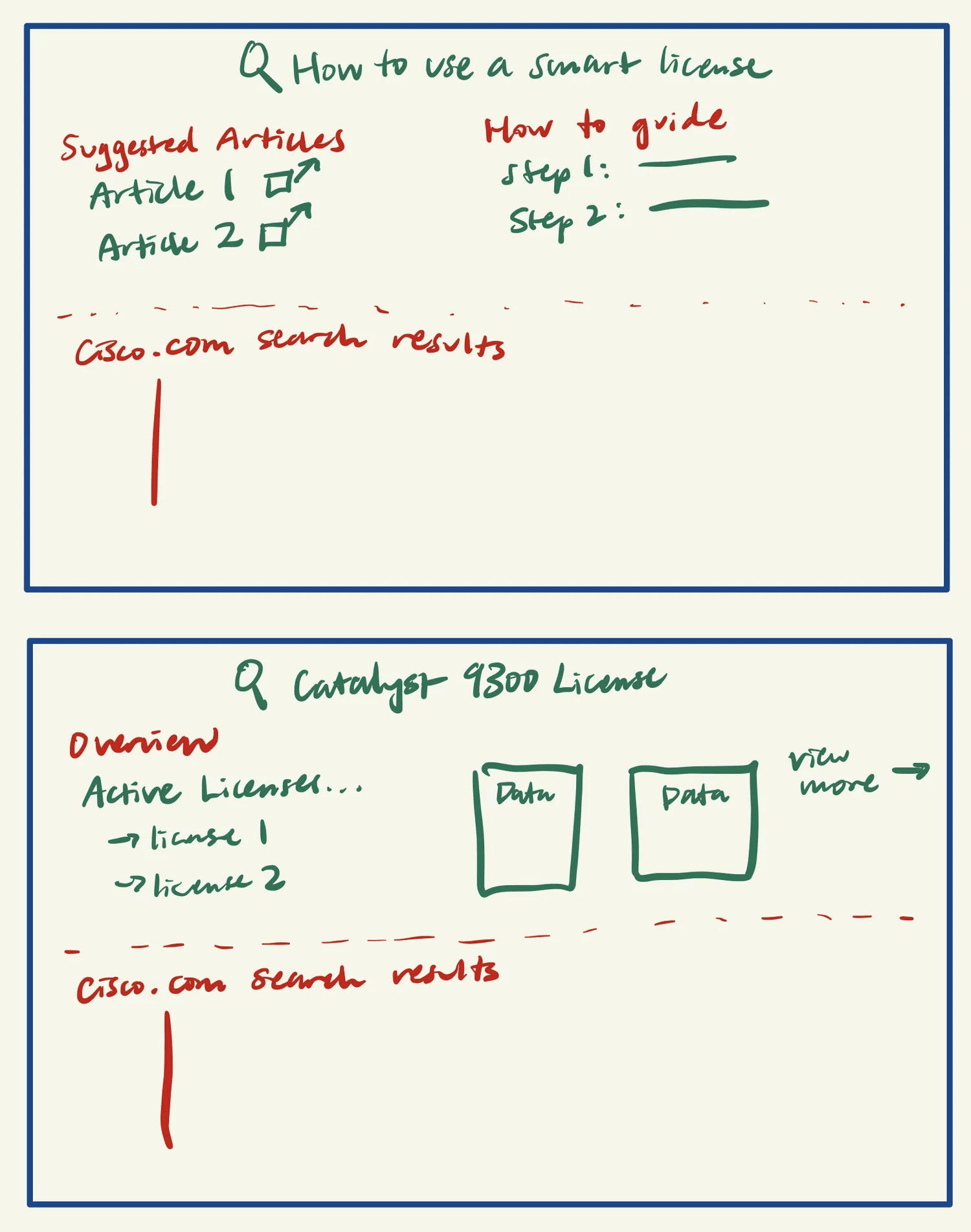
Concept 3: License overview
Mid-Fidelity Designs
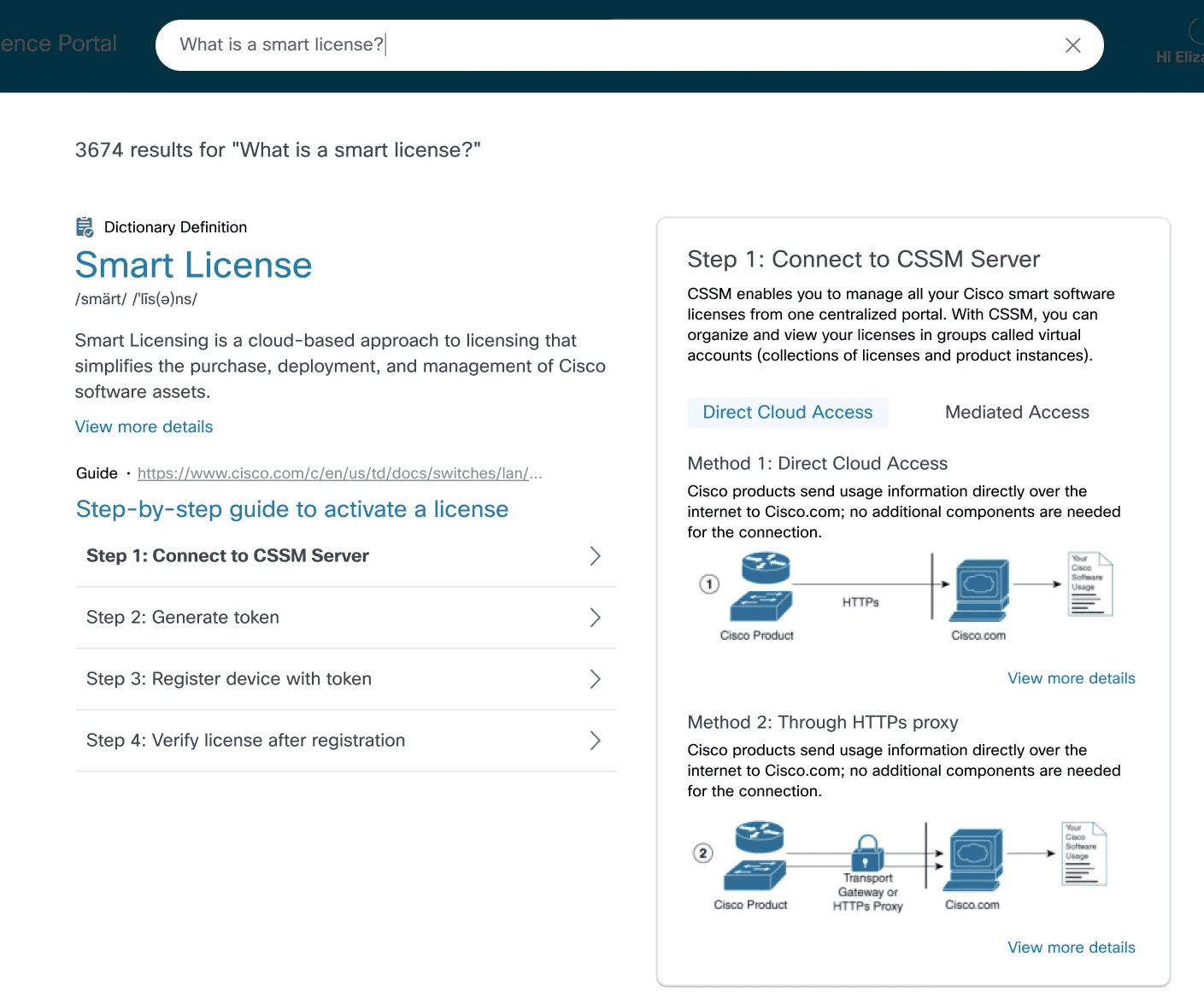
Concept 1: How-to guide
Pros: Provides comprehensive, step-by-step instructions paired with visual aids for multi-modal learning.
Cons: High cognitive load due to content density and many calls-to-action (CTAs).
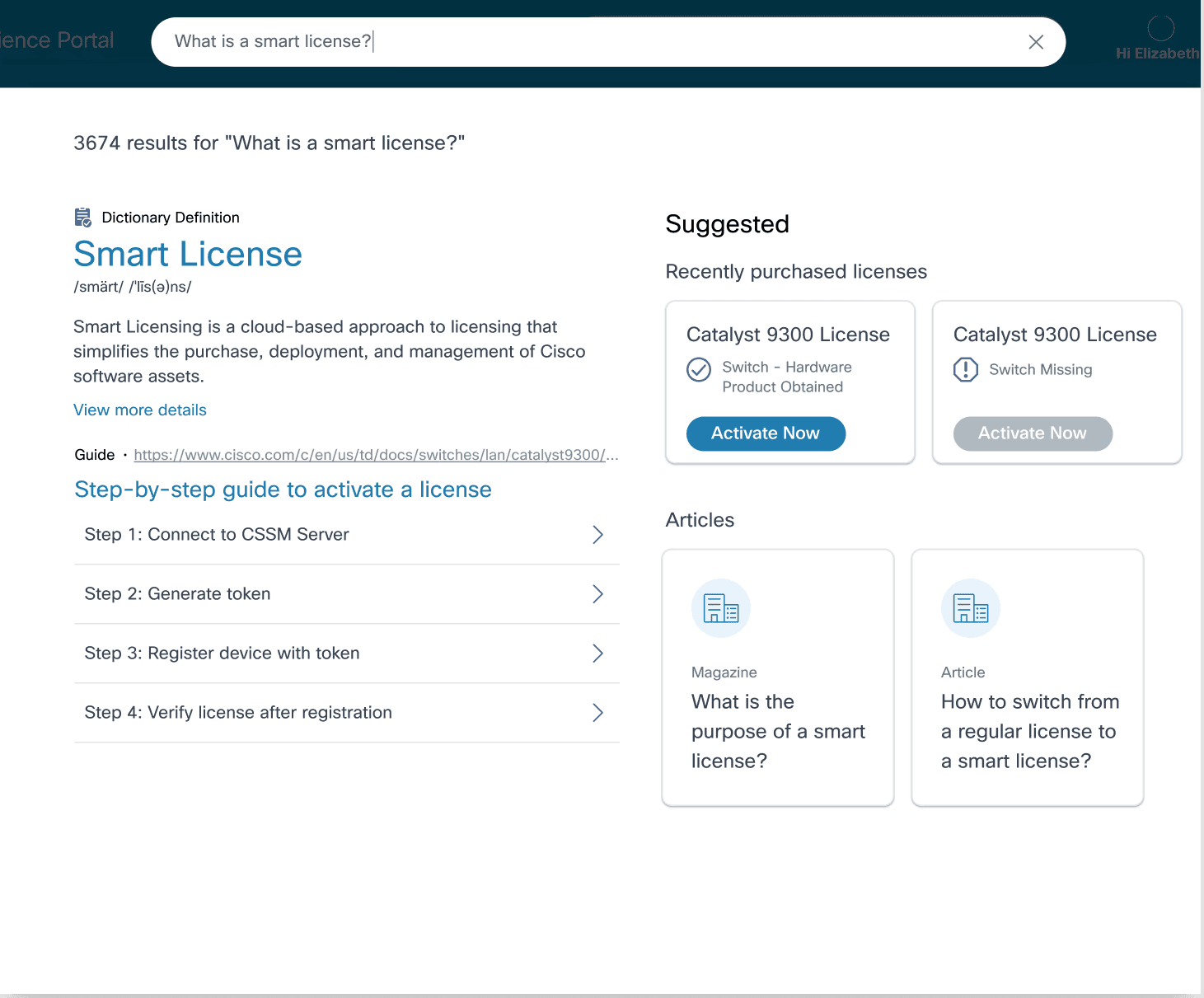
Concept 2: Suggested results
Pros: Shows recent purchases and relevant articles with clear, actionable triggers for license activation.
Cons: Lacks granular license details.
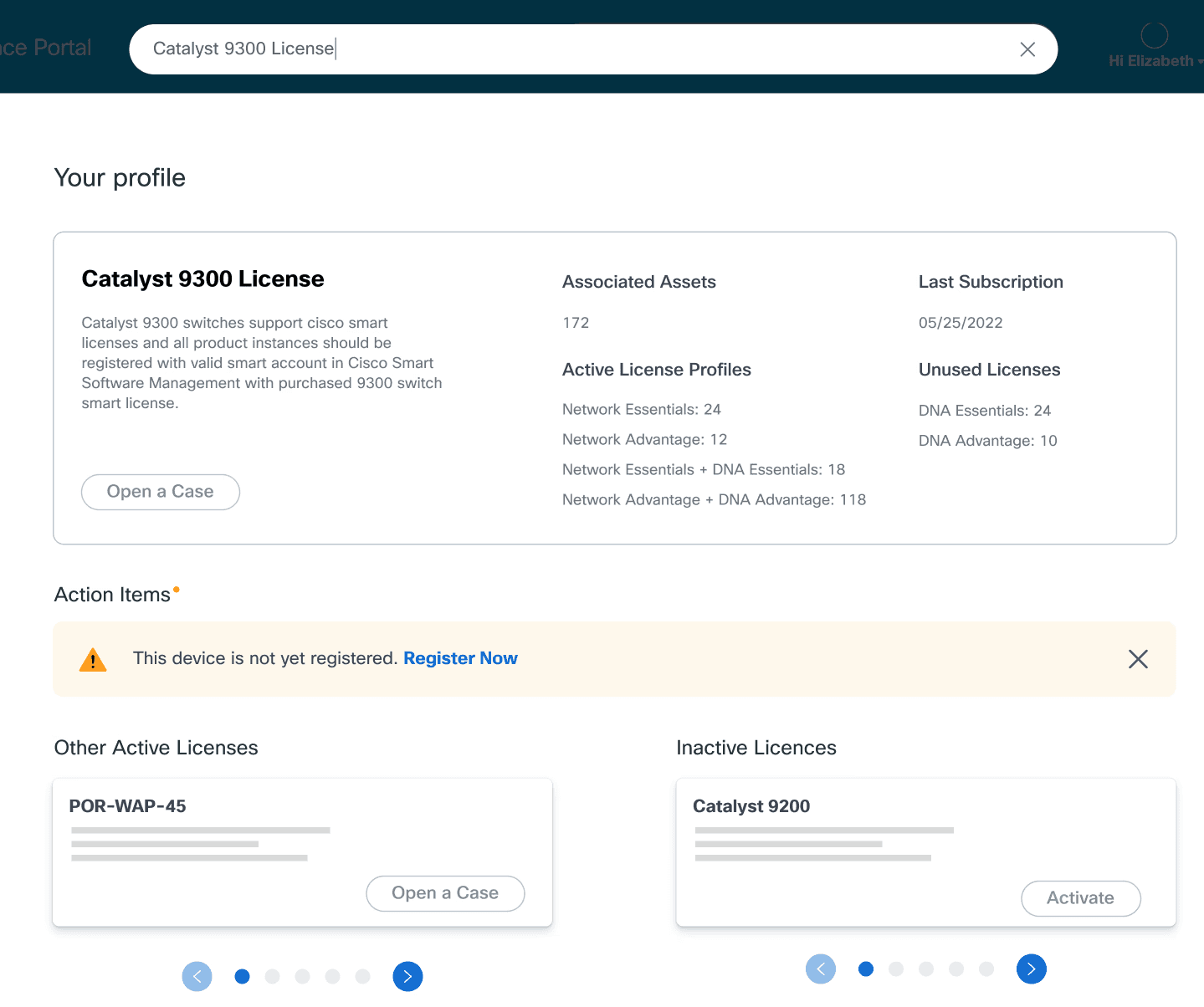
Concept 3: License overview
Pros: Offers a high-level snapshot of active and unused licenses for users to take action on.
Cons: No “view details” on a specific license, user can only “open a case.”
Hi-Fidelity Designs
I developed a conceptual blueprint to help the search team seamlessly scale this experience across the product portfolio.