From Insight to Implementation:
Heuristic & User Testing on CX Cloud
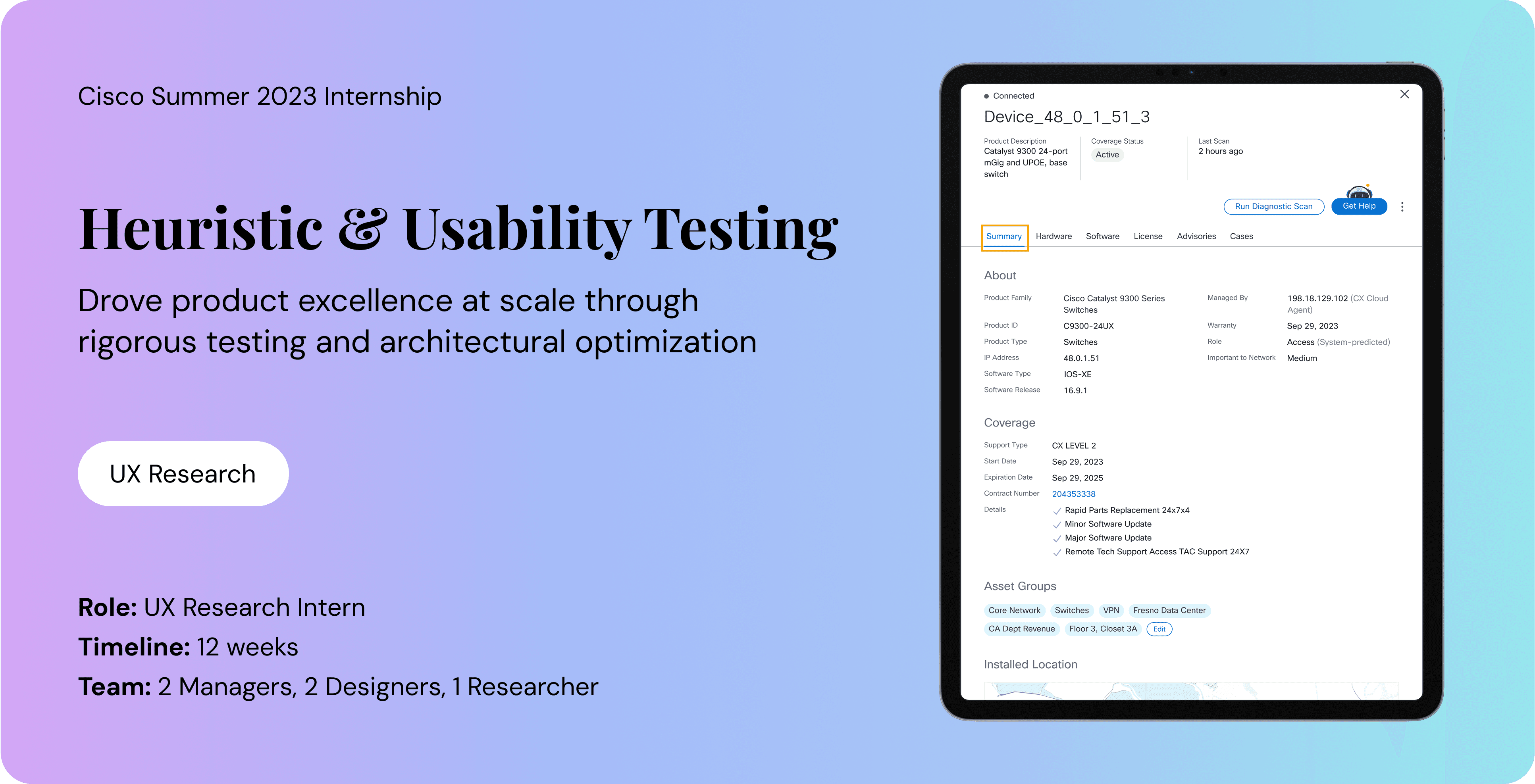
With over 1 million users, Customer Experience Cloud is a mission-critical platform designed to help enterprises streamline operations and predict business outcomes.
At this scale, even minor usability friction can lead to significant operational costs.
Overview
My task was to conduct a heuristic evaluation of the Advisories and Cases modules to identify and mitigate UX barriers within CX Cloud
Scope
Advisories provide critical issue data, impacted device lists, and recommended remediation steps
Cases facilitate the creation and end-to-end management of technical support tickets
Methodology
Framework: utilized Nielsen Norman’s 10 Usability Heuristics to identify system-wide friction and ranked severity on a numerical scale
Documentation: mapped every violation to a specific heuristic with actionable design recommendations
Key Findings
UI Inconsistency: fragmented patterns increase learning curve for users
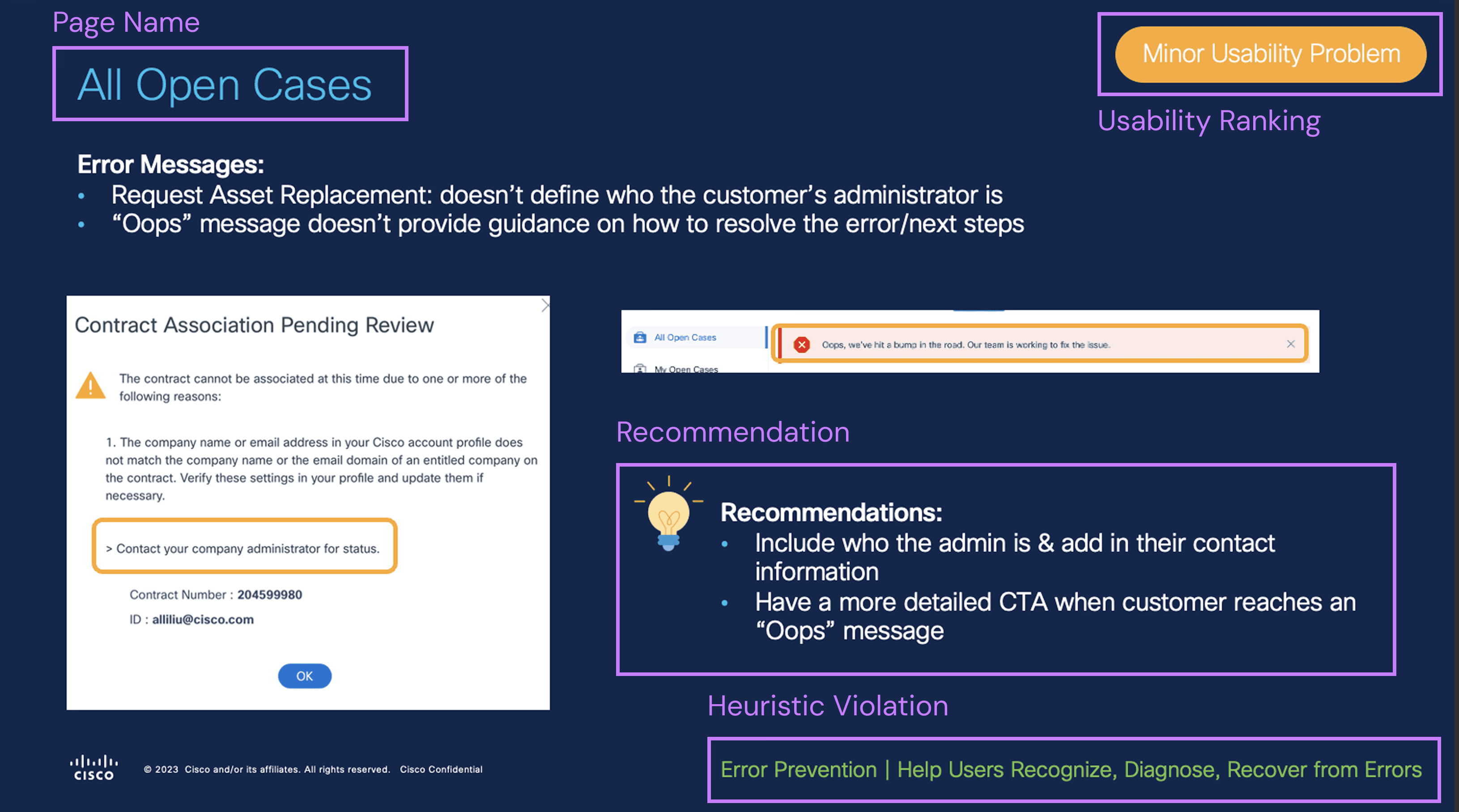
Ambiguous Feedback: non-actionable warnings prevent users from resolving issues
Information Density: overly complex layouts hinder task completion
Research Findings
Based on all the findings, I identified 50+ usability issues with recurring patterns and proposed targeted design solutions
Recommendations
Consistent UI Across All Platforms
Customers aren't forced to learn something new
Actionable Warning Messages
Customers can take action to resolve the issue independently
Simple UI
Customers can easily complete their tasks to reduce time-to-value
In addition, I was also tasked with comparing two designs displaying support type and coverage information. The goal was to help customers easily understand and locate this information after purchase.
Overview
Problem
Inconsistent terminology caused users to struggle when differentiating between "Support Type" and "Coverage"
Research indicated users weren't able to distinguish specific meaning within CX Cloud
Task
Comparative study of 2 designs: Tab view vs. Summary view to determine the most intuitive information architecture
Evaluated terminology comprehension, task frequency, design preference
Methodology
Testing: conducted unmoderated usability & preference testing via Usertesting.com
Participants: engaged 10 network engineers & architects (planner, decider, operator)
Research Methods
I performed unmoderated usability testing to evaluate how participants interpreted "Support Type" and "Coverage."
Affinity Mapping
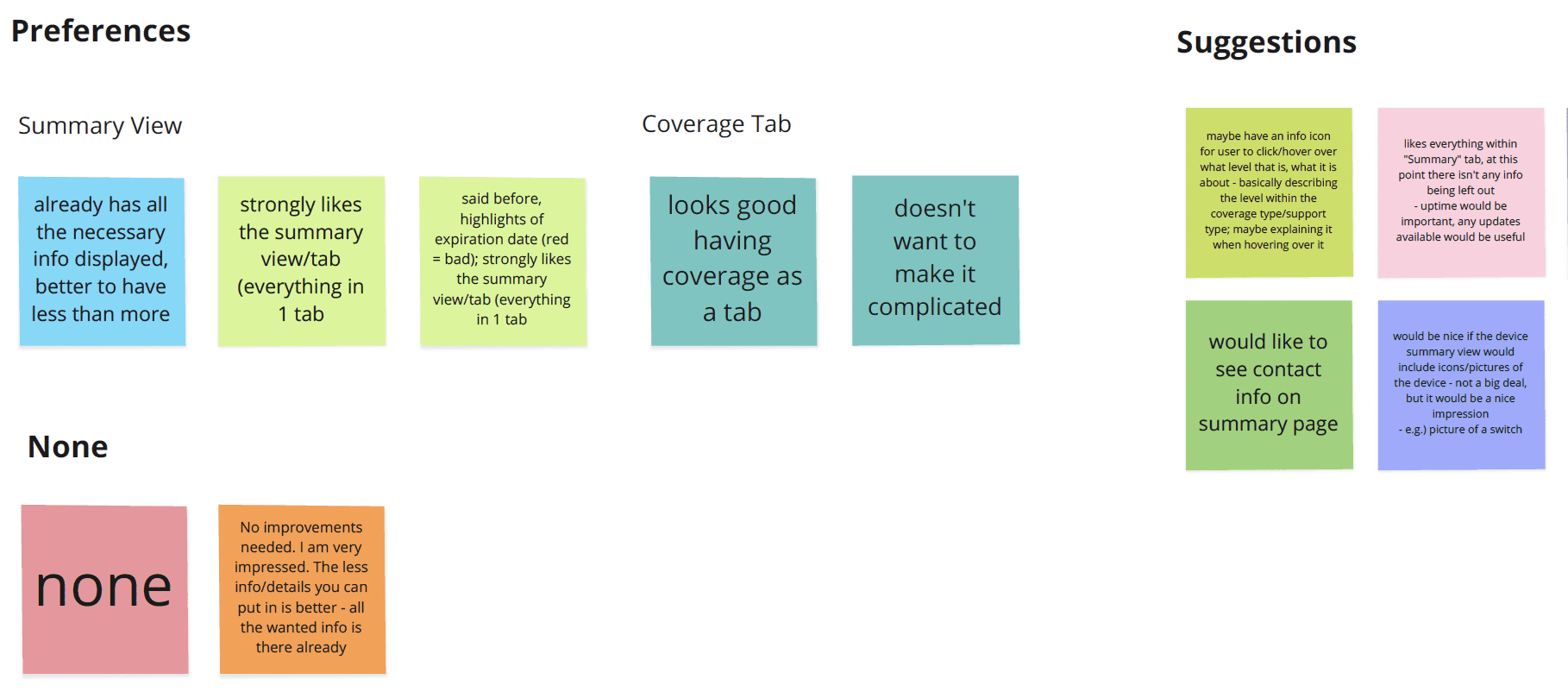
Identified recurring themes around terminology confusion, and design preference
Persona Mapping
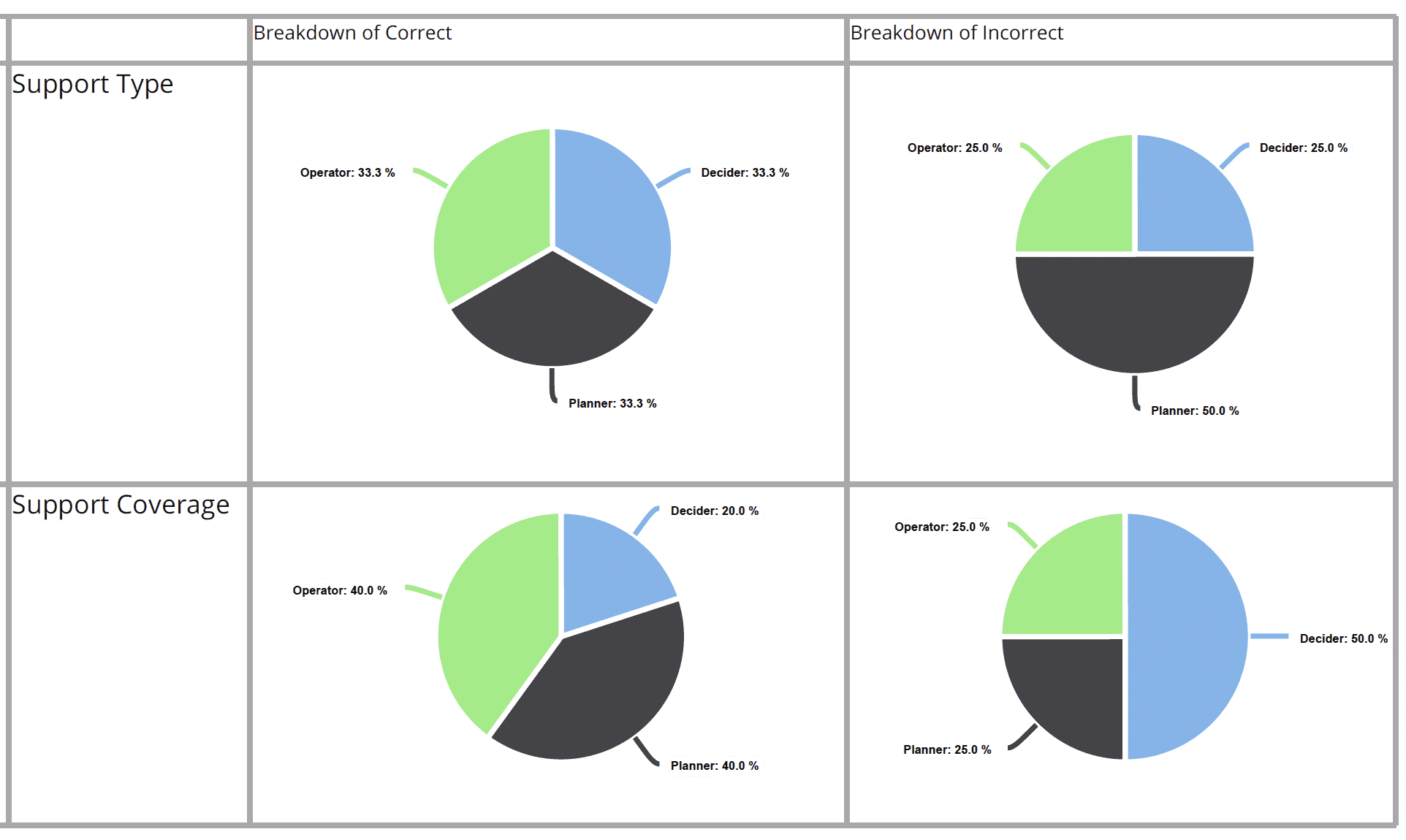
Segmented findings by user role (operators, planners, deciders) to map out how specific professional responsibilities influenced design preferences and terminology comprehension
Key Takeaways

Bridging the comprehension gap
Only 50-60% of participants correctly defined the terms. Persona mapping revealed that Planners and Deciders had lower comprehension than Operators.
Designing for high-stakes, low-frequency tasks
User sessions revealed that critical but infrequent tasks are typically triggered by renewals or technical crises rather than daily workflows.
Resolving the mental model divide
There is a distinct preference split: operators prioritized high-density summary views for "all-in-one" efficiency, while Planners and Deciders favored a dedicated Coverage tab for its structured clarity.